Instructional Strategy

Britannica Education logo in blue square

INSTRUCTIONAL STRATEGY

Communication in Practice

Grade:

6-8, 9-12, UNIV

Type:

Discuss & Collaborate
/ Summarize & Synthesize
> 40

Minutes

When:

Before, during, and after reading

Materials:

Communication in Practice graphic organizer, digital design tool, digital devices, preselected topic and article, sample presentations, whiteboard or display, writing utensils
Chat bubble with list icon in green on white background

Description

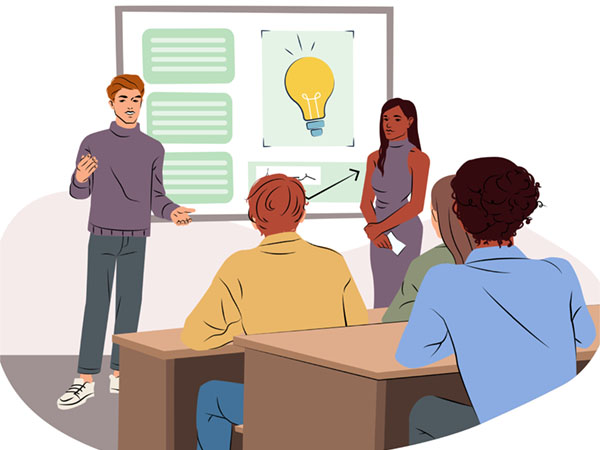
Students giving a presentation in a classroom with a lightbulb diagram.
© Rudzhan/stock.adobe.com
The Communication in Practice strategy helps students develop confidence and clarity in written, verbal, and visual communication. Students craft presentations grounded in evidence and deliver them to peers, strengthening organization, public speaking, and collaborative learning. This strategy supports students in structuring ideas effectively, incorporating purposeful visual elements, and refining presentation delivery based on feedback. It also promotes interaction that builds communication, self-management, and reflective thinking.

Curved arrows forming square in orange on white background

Procedure

Prepare for the Activity: Select a topic that aligns with your current unit and learning goals (e.g., renewable energy, ancient civilizations, literary themes), and prepare a short warm-up prompt that activates background knowledge about the topic. Choose an article from Britannica School that supports the selected topic. Gather two or three sample presentations that model effective design and delivery. Decide whether students will work individually or in groups, and assign roles if needed (e.g., researcher, designer, speaker, editor).
1
Begin with a brief activation task. Ask students to respond to a prepared warm-up prompt, such as “What do you already know about this topic, and what do you hope to learn?”
2
Explain that students will read an article, create a presentation, and practice delivering it to peers. Show sample presentations, and highlight strong communication features, including tone, clarity, body language, and slide design.
3
Display the article, and model how to read and annotate it by identifying key ideas, important vocabulary, and useful details.
4
Distribute the Communication in Practice graphic organizer. Review each part carefully, and ensure that students understand the instructions.
5
Model how to craft a guiding question (e.g., “Why is renewable energy good for the environment, and why does this matter?”), and demonstrate how to synthesize information from the text.
6
Have students read the article using a digital device. Invite them to complete Part 1 of the graphic organizer (individually, with partners, or in small groups), developing and recording a guiding question and then summarizing key ideas from the text.
7
Facilitate a short checkpoint discussion to confirm the accuracy of students’ summaries before they move on to presentation design.
8
Teach a brief mini-lesson on effective slide design, including clarity, purposeful visuals, limited text, and use of headings.
9
Guide students to outline a five- to seven-slide presentation in Part 2 of the graphic organizer (individually, with partners, or in small groups). Provide time for students to create their slides using a digital design tool.
10
Have students practice their presentations with other students or in small groups. Before practicing, students should share their graphic organizer with the others who are giving them feedback. The students who are offering feedback will use the checklist in Part 3 and give general feedback or ask questions using the space provided. Invite students to revise their slides and delivery based on feedback before their final presentation to the class.
11
Invite students to deliver their presentations to the class.
12
Have students complete the reflection in Part 4 and share insights with a partner. Offer one model reflection response to guide depth and quality.
13
End with a whole-class discussion that identifies key strategies for effective communication and areas for continued growth. Record class-generated strategies on a shared document or chart to support future lessons.
Expanding arrows icon in white on purple background

Differentiation

Video Recording: Allow students to record and upload their presentations if they are more comfortable presenting asynchronously.
Live Audience: Challenge students to present to a small live audience, such as other classes or staff, to build confidence and communication skills.

Multilingual Learning Support

Beginning Proficiency: Provide the article in both English and students’ home languages. Pair students with supportive peers, and offer visual materials to clarify major concepts.
Intermediate Proficiency: Pre-teach essential vocabulary supported by visual aids, and provide sentence starters to support students in summarizing key ideas and reflecting on their presentations.
Advanced Proficiency: Provide access to a bilingual dictionary. Encourage students to generate a list of strong presentation practices and offer peer feedback.
Overlapping documents icon in light blue on white background

Variations

Group Work: Place students in groups of three to five, assigning roles such as researcher, designer, speaker, or editor. This supports collaboration and helps manage presentations in larger classes.
© Encyclopædia Britannica, Inc. All rights reserved.